
WRST
Watch Collection
For the collectors who log every wear, rotate with intention, and set their mechanicals to the second.

iPhone · iOS 16+ · Free with Pro in-app purchase
SCREENSHOTS
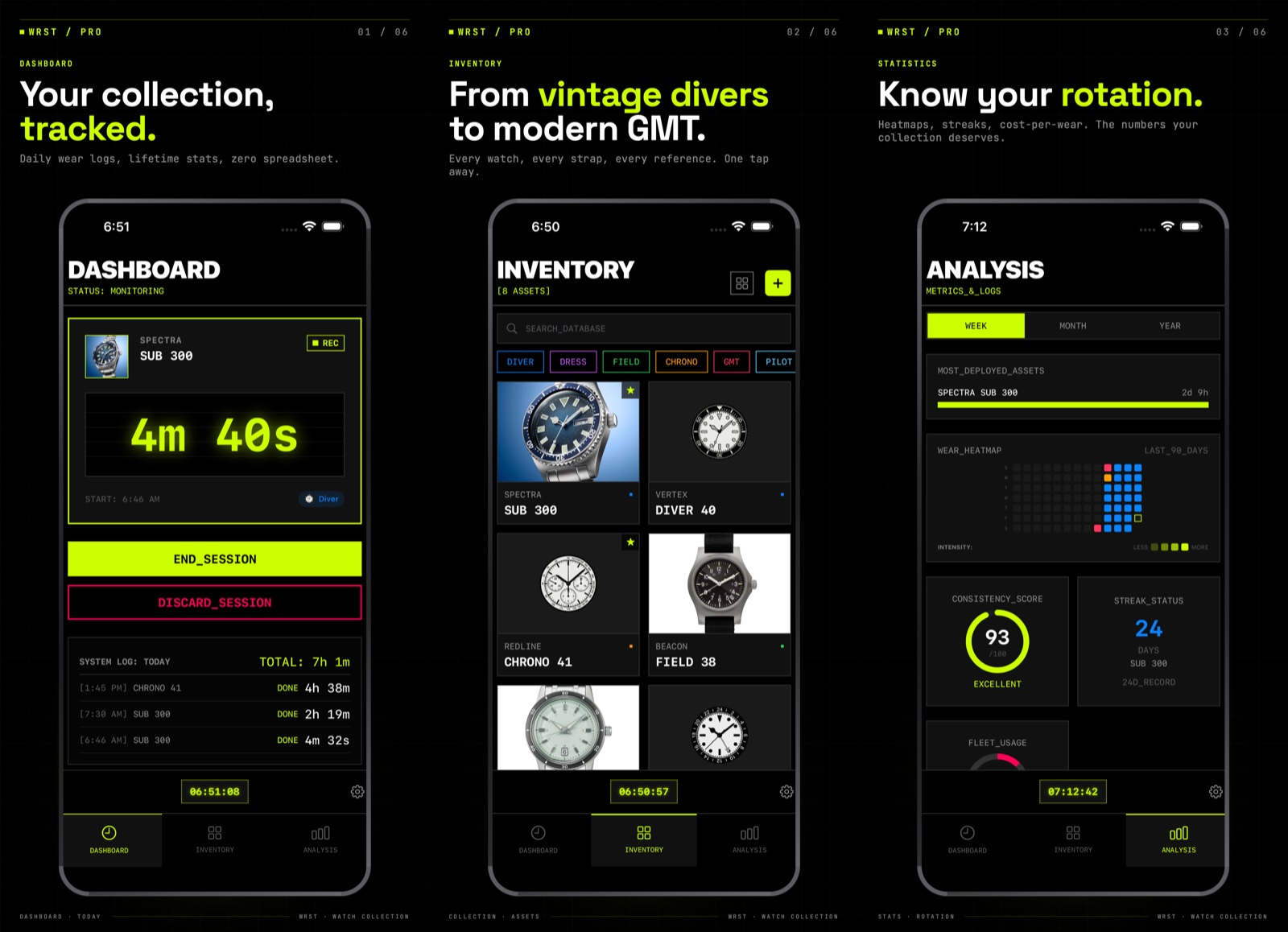
Dashboard, inventory, analytics, time sync, widgets — the full tour.
THE FOUR PILLARS
COLLECTION
Log every watch, every wear, every session. Brand, model, category (Diver, Chrono, GMT, Pilot, Dress, Field, POP & more), acquisition cost — your database, your way.
STATS
Wear streak, total time-on-wrist, most deployed asset, 28-day activity heatmap. Every stat is interactive and explains how it's calculated.
TIME SYNC
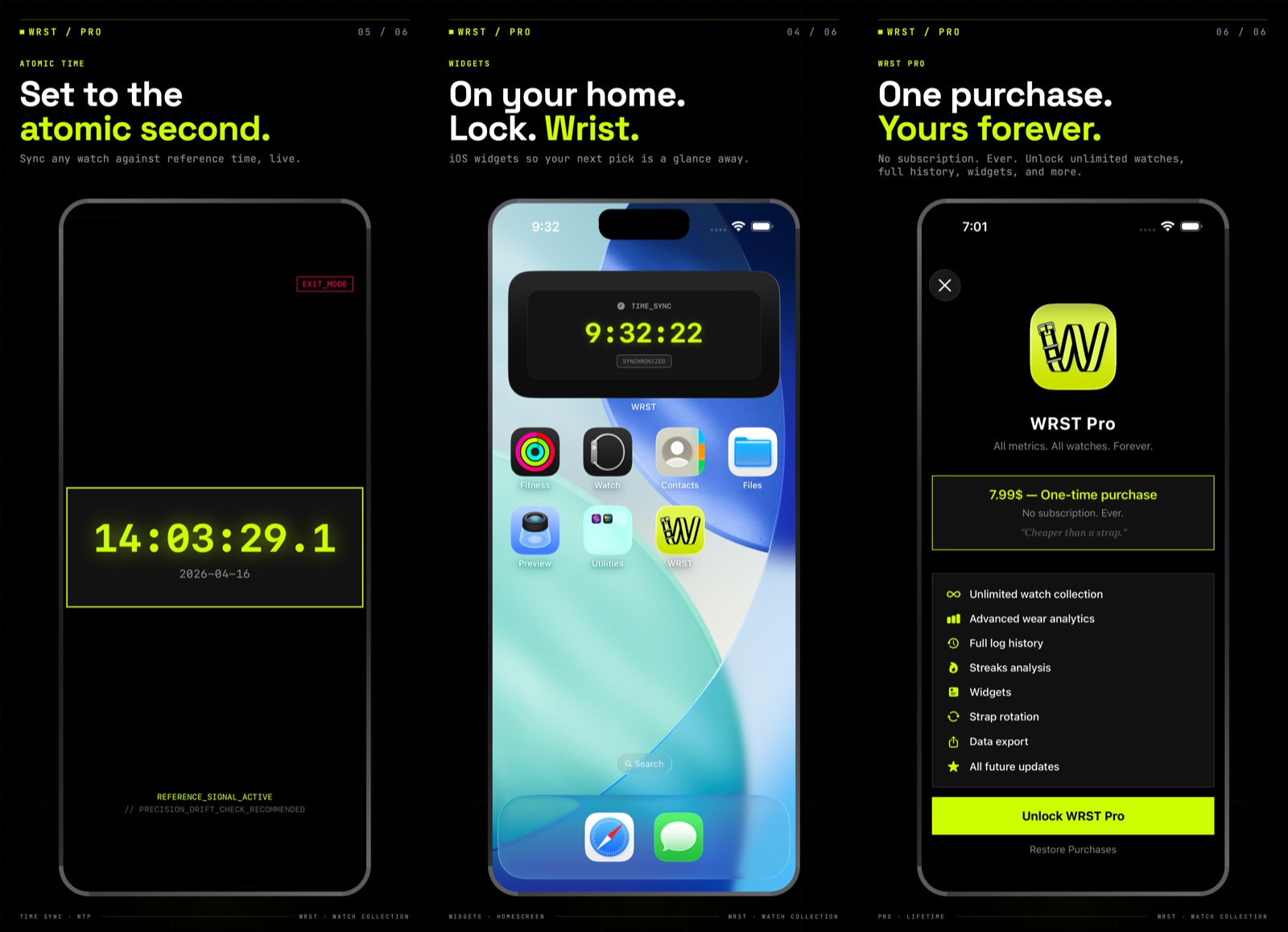
A dedicated atomic clock screen. Set your manual wind, your chronograph, your vintage piece — down to the second, without leaving the app.
iOS WIDGETS
Home screen, lock screen, and the iOS StandBy clock. Six widget modes: Streak, Total time, Combined view, Heatmap, Most Worn, and full-screen Time Sync with live seconds.
FREE OR PRO
One-time unlock. No subscription. Ever.
THE STARTER
Perfect to try the system.
- Up to 3 watches
- Wear logs & session tracking
- Atomic Time Sync clock
- Basic stats
- No ads. No account. No tracking.
THE COLLECTOR
One-time purchase — yours forever.
- Unlimited watch collection
- Advanced wear analytics
- Full log history
- Streaks analysis
- iOS Widgets (6 modes)
- Strap rotation
- Data export
- All future updates
SUPPORT
NEED A HAND?
We built WRST ourselves — which means you talk to the person who wrote the code. No ticketing circus, no bots.
EMAIL: feedme@bigspoonlilspoon.app
RESPONSE TIME: usually within 24–48 hours.
LOCATION: Montréal, Québec, Canada.
FAQ
Is my data private?
Yes. Everything stays on your device. No account, no tracking, no ads, no analytics. We literally can't see your collection — and that's by design.
Is WRST Pro a subscription?
No. It's a one-time unlock. Pay once, own it forever — including all future updates.
How do I restore my purchase on a new iPhone?
Open WRST → Settings → Restore Purchase. Sign in with the same Apple ID you used to buy WRST Pro originally.
Does WRST sync across my devices via iCloud?
Not in v1.0. iCloud sync is on the roadmap for a future update. For now, WRST is single-device.
Can I export my data?
Yes — with WRST Pro. Head to Settings → Export Data to get a full dump of your collection and wear logs.
Time Sync is off — is my watch wrong?
Time Sync pulls from authoritative time servers with a short network call. If it looks off, check your connection and relaunch the app. If the issue persists, email us.
Which categories can I assign to my watches?
Diver, Chronograph, GMT, Pilot, Field, Dress, Smart, POP (fashion/quartz), and more. You can also mark any watch as a favorite.
I found a bug / have a feature request.
Email feedme@bigspoonlilspoon.app. Seriously — we read everything. The best features in v1 came straight from collector feedback.
How do I delete my data?
Go to Settings → Delete All Data. Since everything lives on your device, deleting the app also wipes your data completely.